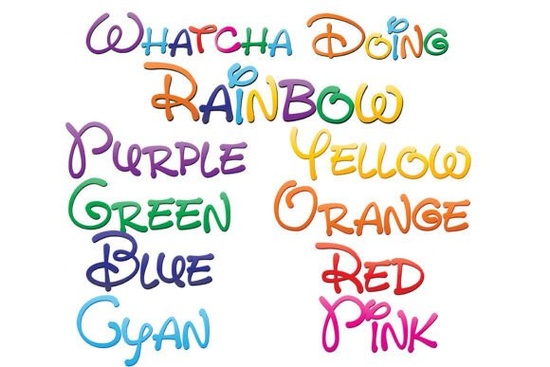
If you've been searching for a colorful typeface that actually looks hand-drawn, the Whatcha Doing Font is worth a closer look. This set comes with nine full-color SVG fonts eight covering different shades of the rainbow, plus a ninth that blends all eight together. It's playful, it's bold, and it works right out of the box in any program that supports OpenType color fonts.
What Are Full-Color SVG Fonts?
Unlike regular fonts that only show one flat color at a time, full-color SVG fonts carry gradient and multi-color data inside the font file itself. When you type, the letters appear in full color no extra steps, no layering needed. They're vector-based, so you can scale them up for a banner or down for a sticker and the quality stays sharp.
The Whatcha Doing Font takes this a step further with a whimsical, hand-written print style in a gradient of eight rainbow colors. Think of it as ready-made color that you'd normally have to apply manually.
Which Programs Can Display These Fonts in Color?
This is one of the most common questions, and it matters because not every program handles SVG fonts the same way. In unsupported software, the font will show as plain black still usable, just not colorful.
Here are programs that currently support full-color SVG fonts:
- Adobe Photoshop, Illustrator, and InDesign
- Silhouette Studio (Designer Edition and above)
- QuarkXPress
- Inkscape (free and open-source)
- CorelDRAW
A quick way to test: type something in your document and see if the colors appear. The preview window in some programs may still show the font in black, but once applied to the canvas, the full gradient should display correctly.
How Do You Install SVG Color Fonts?
Installation is the same as any regular .otf font file. Here's the short version:
- Mac: Double-click the .otf file and click "Install Font" in FontBook.
- Windows: Right-click the .otf file and select "Install," or drag it into your Fonts folder via Control Panel.
- Font managers like NexusFont or FontBase also handle .otf files without issues.
After installation, restart your design program so it picks up the new fonts.
What Can You Use the Whatcha Doing Font For?
This typeface works especially well for projects where you want colorful, eye-catching text without extra editing. Here are some practical uses:
- T-shirt designs especially for kids' apparel or fun adult quotes
- Greeting cards and invitations the hand-drawn style fits casual, cheerful themes
- Social media graphics bold rainbow text grabs attention in a feed
- Print-on-demand products mugs, tote bags, posters, and stickers
- Branding for small businesses logos, menu headers, and packaging
- Scrapbooking and digital journaling
Because there are nine variations included, you can match the color that fits your project or use the combined multi-color version for maximum impact. You can browse more colorful fonts like this if you want to build a collection.
Are SVG Fonts Better Than Regular Fonts?
They're not better or worse they serve a different purpose. Regular fonts give you full control over color through your design software. SVG fonts come pre-colored, which saves time when the built-in gradient matches what you're going for. The trade-off is that they have larger file sizes and limited software support compared to standard fonts.
For print-on-demand sellers and crafters, the convenience of typing in full color without post-processing is the real advantage. You don't need to convert text to outlines, apply gradient fills, or adjust color stops. It just works.
Quick Checklist Before You Buy
- ☑ Check that your main design program supports SVG color fonts
- ☑ Remember that the font appears black in unsupported apps that's normal
- ☑ You'll get 9 fonts total 8 individual rainbow colors + 1 combined version
- ☑ Files install as standard .otf no special software required to install
- ☑ Great for t-shirts, cards, social posts, POD products, and branding
Next step: Download the font, open your preferred design program, and type a test word. If you see rainbow colors, you're good to go. If it shows black, check your software's SVG font support before starting a big project.
Learn More Stay Wonderful Font - Free Script Font Download
 Heart Style Script Fonts for Creative Design Projects
 Baseball Classic Font: Retro Typography for Bold Designs
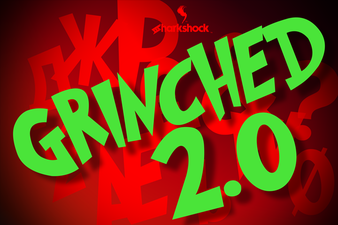 Grinched 2.0 Font: Bold Whimsical Type for Creative Projects
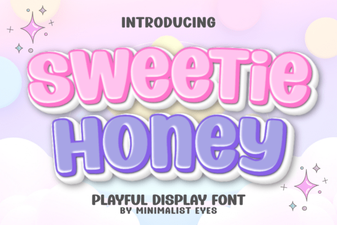 Sweetie Honey Font – Playful Display Font for Creative Designs
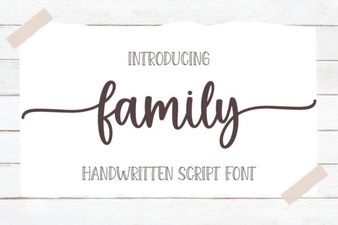 How Family Fonts Unify Design Projects