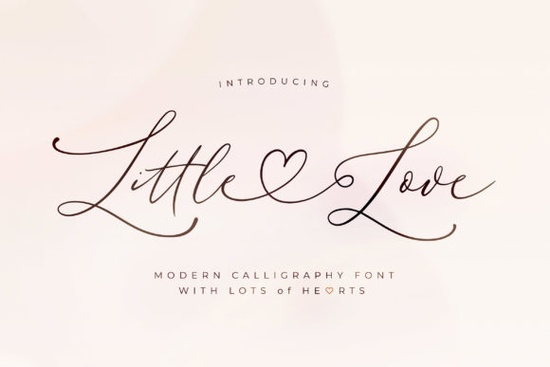
If you're searching for a script font that looks polished without feeling overdone, Little Love Font is worth a closer look. It's a refined, graceful script with a clean and smooth style that works well for wedding invitations, greeting cards, branding, and print-on-demand designs. Because it's PUA encoded, every glyph and swash is easy to access no special software tricks required.
What Makes Little Love Font Stand Out?
There are thousands of script fonts available, so what sets this one apart? Little Love has a thin, elegant stroke that gives text a delicate feel without sacrificing readability. The letterforms flow naturally, and the included swashes add a polished touch when you want to dress up a logo or headline.
Unlike some script fonts that look scratchy or overly ornate, this one stays clean. That makes it a solid choice for both print-on-demand sellers who need fonts that reproduce well on physical products and designers working on digital projects like social media graphics or website headers.
How Do You Access All the Glyphs and Swashes?
Since Little Love is PUA encoded, you can access every character including alternates and decorative swashes through your operating system's character map or any design software that supports OpenType features. Here's a quick way to get started:
- Install the font on your computer.
- Open your character map (Windows) or Font Book (Mac).
- Find Little Love and browse through the available glyphs.
- Copy and paste the characters you want into your design tool.
This is especially helpful if you use software that doesn't support advanced OpenType features directly. The PUA encoding makes sure nothing is locked away.
What Types of Projects Work Best With This Font?
Little Love's graceful style fits a wide range of creative projects. Here are some popular uses:
- Wedding invitations and save-the-dates The thin, flowing strokes feel romantic and refined.
- Greeting cards and stationery Perfect for heartfelt messages and personalized designs.
- Logo design Works well for boutiques, florists, bakeries, and other small businesses.
- Print-on-demand products Mugs, tote bags, t-shirts, and wall art all benefit from its clean look.
- Social media graphics Quotes, announcements, and promotional posts look sharp with a quality script font.
Does It Pair Well With Other Fonts?
A script font rarely works alone. Pairing it with a simple sans-serif or a clean serif creates visual contrast and keeps your designs balanced. For example, you could use Little Love for a headline and pair it with a bold display option like Black Sample font for supporting text.
If you're working on a family-themed project like a family reunion t-shirt or a photo book cover combining it with a warm option like family font styles can create a cozy, inviting feel.
For something playful or seasonal, mixing it with a groovy script font or even a butterfly-themed font gives your layout more personality. You can also try a classic sports font pairing if you're designing for a more casual or active brand.
Is Little Love a Good Fit for Small Businesses?
Absolutely. Small business owners often need fonts that look professional without hiring a graphic designer for every piece of marketing material. Little Love gives you that hand-lettered, polished look right out of the box.
Use it for:
- Business cards and thank-you notes
- Packaging labels
- Email headers and newsletters
- Menu designs for cafés or bakeries
- Promotional flyers and posters
The clean, thin strokes maintain legibility even at smaller sizes, which matters when you're printing on labels or cards.
What Should You Check Before Buying?
Before purchasing any font, consider these practical points:
- License type Make sure the license covers your intended use, whether it's personal, commercial, or for print-on-demand.
- File format Check that the font files are compatible with your software (OTF, TTF, etc.).
- Language support Verify that the font includes the characters you need for your audience.
- Test it first Preview the font with your own text before committing to see how it looks in your specific context.
Quick Checklist Before Using Little Love in Your Next Project
- ✅ Install the font and restart your design software
- ✅ Browse the glyph map for alternate characters and swashes
- ✅ Choose a complementary sans-serif or serif for body text
- ✅ Test the font at different sizes for readability
- ✅ Double-check the license for your specific project type
Whether you're building a brand, creating wedding stationery, or designing products to sell online, Little Love's clean and graceful style adapts well to many creative needs. Take a moment to preview it with your own text and see if the feel matches your project that's always the best way to know if a font is the right fit.
Try It Free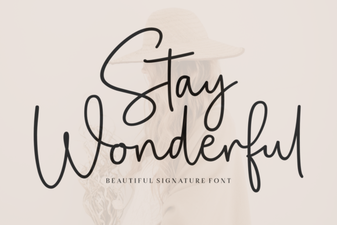 Stay Wonderful Font - Free Script Font Download
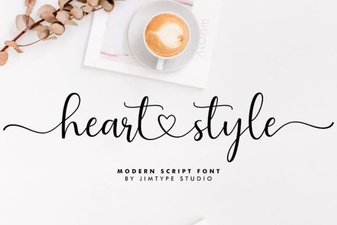 Heart Style Script Fonts for Creative Design Projects
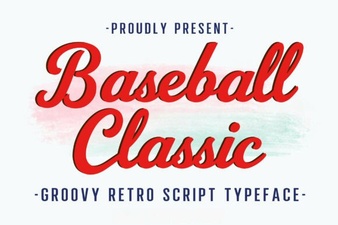 Baseball Classic Font: Retro Typography for Bold Designs
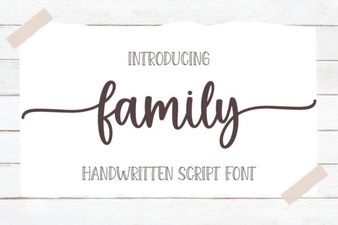 How Family Fonts Unify Design Projects
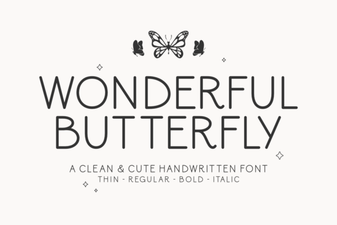 Wonderful Butterfly Font - Elegant Script Font for Creative Designs
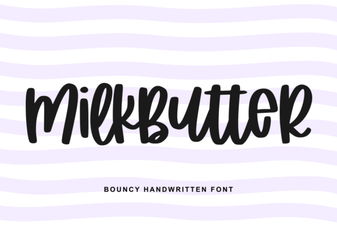 Milkbutter Font: a Smooth Creative Typeface for Designers